How Can You Create Stunning Personalized Water Bottles for Gifts?
You have amazing design ideas for personalized water bottles, but you're stuck on how to get them from your screen onto the bottle. The technical process feels complicated and overwhelming.
This gap between design and production is frustrating. It holds you back from offering high-quality, durable products that your clients will love, forcing you to rely on methods that don't last.
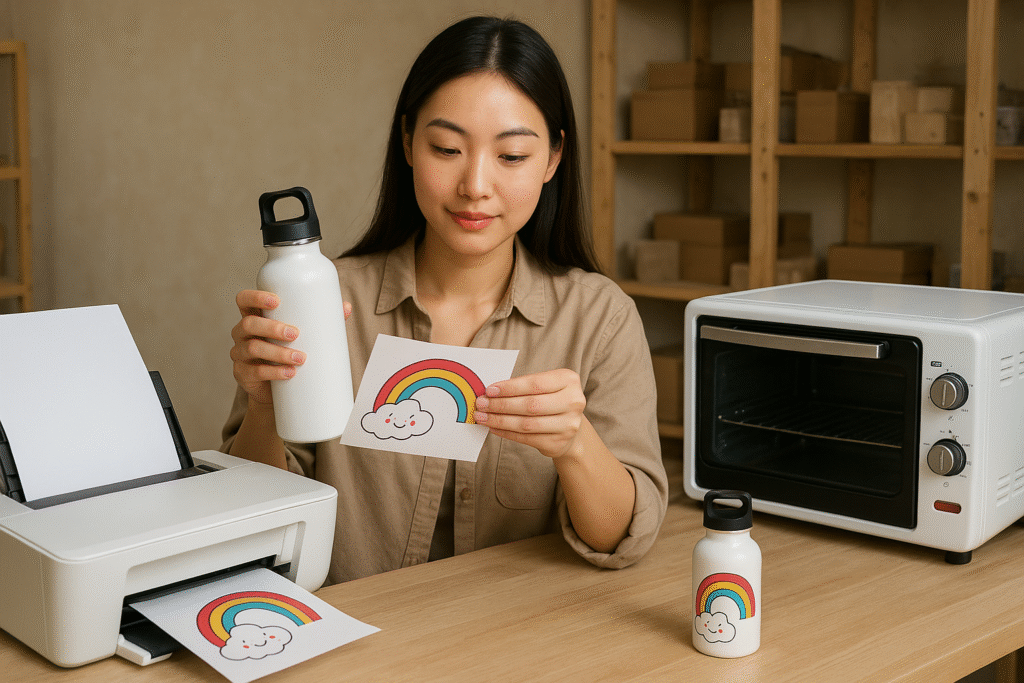
Creating personalized water bottles is a simple process using sublimation. You print your design with special ink, wrap it around a sublimation-coated bottle, and use a mug or tumbler heat press to permanently transfer the image into the bottle's surface.
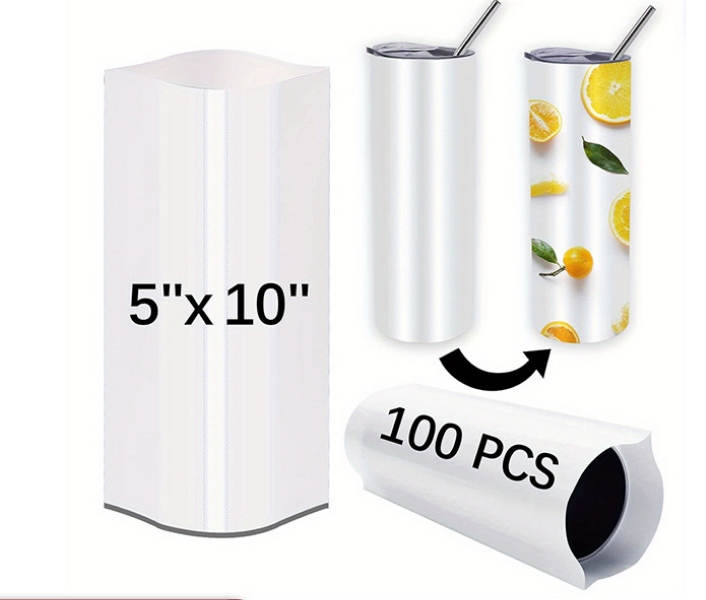
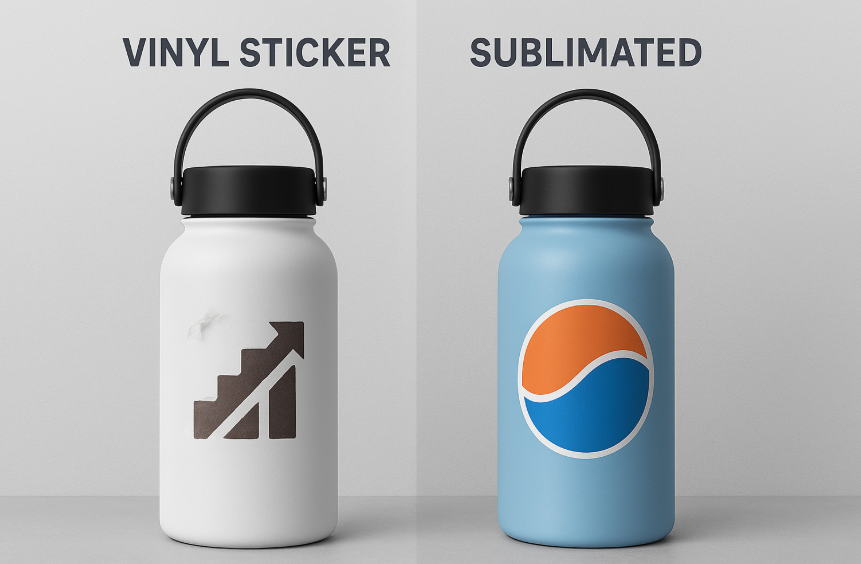
I’ll never forget one of my first clients, a small gym owner who wanted water bottles for her members. She had initially used adhesive vinyl stickers, but they started peeling and fading after just a few weeks of use. She was so disappointed. That's when she came to me. We redesigned the bottles for sublimation, creating a beautiful, full-wrap design that was permanently baked into the bottle's coating. She was ecstatic. Six months later, she told me the bottles still looked brand new, even after countless workouts and dishwasher cycles. That experience taught me that for a gift to be truly great, it has to last.
How do you make customized water bottles?
You've perfected a beautiful design, but now you're facing the big question. How do you get that intricate, colorful design flawlessly transferred onto the curved surface of a water bottle?
Without a clear, reliable production method, your amazing designs remain trapped on your computer. This technical hurdle can feel intimidating, stopping you from turning your creative vision into a tangible, sellable product.
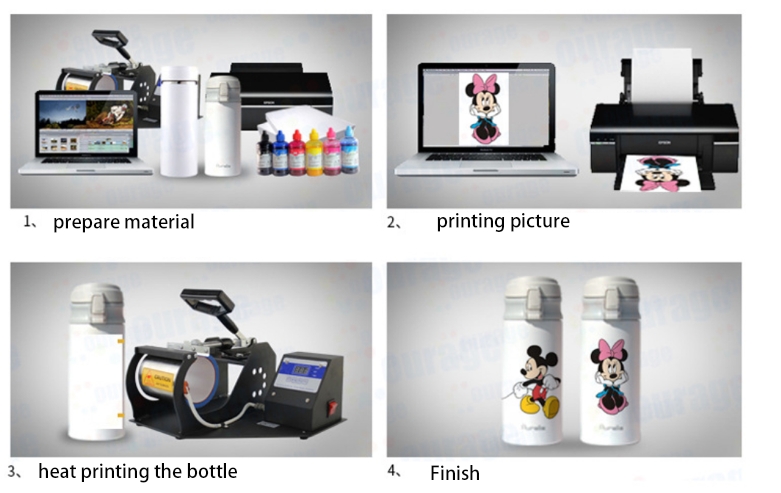
To make a professional customized water bottle, you use sublimation printing. The process involves printing your design onto special paper with sublimation ink, tightly wrapping the paper around a sublimation-ready bottle, and applying heat and pressure with a tumbler press to infuse the design permanently.
Dive Deeper: The Essential Steps to a Perfect Bottle
When I first started, the process seemed like complex chemistry. But once I broke it down, I realized it's more like a recipe. Follow the steps, use the right ingredients, and you get a perfect result every time. For a designer like Emma, knowing this recipe means you can design with confidence, understanding exactly how your creation will come to life. Let's walk through the exact steps and equipment you'll need.
Here is the essential checklist for sublimating a water bottle:
-
1. The Right "Ingredients" (Your Supplies):
- Sublimation Printer: A dedicated printer loaded with special sublimation ink (not a regular office printer).
- Sublimation Paper: This paper is designed to release the ink as a gas when heated.
- Sublimation-Coated Water Bottle: This is critical. You can't use just any bottle. It must have a special polymer coating that the sublimation ink can bond with.
- Heat-Resistant Tape: To hold your design securely in place.
-
2. The "Cooking" Process (The Method):
- Design & Print: Create your design and make sure to print it in reverse (mirror image).
- Wrap Tightly: Cut out the design, leaving a small border. Wrap it as tightly as you can around the bottle, ensuring the printed side is touching the surface. Secure it firmly with heat-resistant tape. A tight wrap is the secret to a sharp image.
- Heat & Press: Place the bottle into a preheated tumbler heat press. The time and temperature will vary based on your press and bottle supplier (usually around 360-400°F for 60-90 seconds), but consistency is key.
- The Big Reveal: Once the time is up, carefully remove the bottle (it will be extremely hot!) and peel off the paper immediately. You'll see your design has been permanently transferred into the bottle's coating.
How can you personalize water bottles without a Cricut?
You know that adhesive vinyl from a Cricut machine can peel, fade, and chip away. You want to offer your clients a more professional, durable, and premium solution for personalization.
Relying only on vinyl limits the quality and longevity of your products. It positions your work as a craft project rather than a high-end, permanent custom gift, which also limits what you can charge.
You can create superior personalized water bottles without a Cricut by using sublimation printing. This method infuses the ink directly into the bottle's coating, resulting in a vibrant, full-color design that is completely smooth, scratch-proof, and will never peel off.
Dive Deeper: Sublimation vs. Vinyl - A Professional's Choice
Early in my career, I experimented with vinyl because it seemed easy. But I quickly realized that for a professional product that needs to withstand daily use, it just doesn't hold up. The moment I switched to sublimation, the quality of my work and the satisfaction of my clients skyrocketed. For a designer like Emma who values quality, understanding this difference is key to building a reputable brand. Sublimation isn't just an alternative to Cricut vinyl; it's a significant upgrade.
Let's compare the two methods head-to-head:
| Feature | Sublimation Printing | Adhesive Vinyl (Cricut) |
|---|---|---|
| Durability | Permanent. The ink becomes part of the bottle. It's dishwasher-safe and scratch-proof. | Temporary. The vinyl is an adhesive sticker that sits on top. It can peel, crack, and fade over time. Hand-wash only. |
| Finish | Completely Smooth. You can't feel the design at all. It's a premium, professional finish. | Raised. You can feel the edges of the sticker. It can catch on things and looks less integrated. |
| Color & Complexity | Unlimited. Allows for full-color photographs, complex gradients, and intricate patterns seamlessly. | Limited. Designs are constrained by the colors of vinyl available. Layering multiple colors is complex and adds bulk. |
| Production Speed | Fast for multiples. Once the design is set up, pressing each bottle is a quick, repeatable process. | Slow for complexity. Weeding intricate vinyl designs and applying them perfectly takes a lot of time for each item. |
For one-off hobby projects, vinyl is fine. But for creating professional, sellable gifts that represent a brand or a heartfelt sentiment, sublimation is the only choice. It delivers a level of quality and durability that vinyl simply cannot match.
Can you use Canva to print on water bottles?
You love using Canva for its incredible ease of use and vast library of elements. It's perfect for mocking up designs quickly, but you're unsure how to take a design from Canva to a physical water bottle.
This uncertainty creates a frustrating disconnect in your workflow. You don't want to abandon your favorite design tool, but you also don't know if it's "professional" enough for creating high-quality print files.
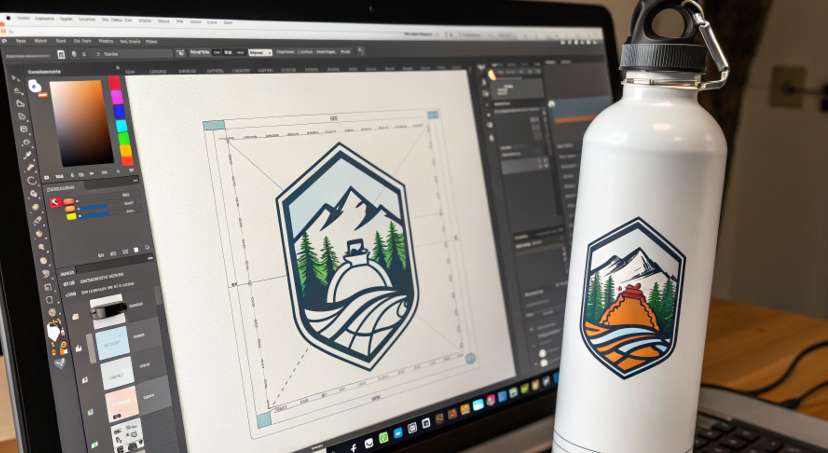
While Canva itself doesn't print on anything, you can absolutely use it to create your designs. You then export your finished design from Canva as a high-resolution PNG or PDF file, which you can then print using your sublimation printer.
Dive Deeper: Integrating Canva into a Professional Workflow
I use professional software like Adobe Illustrator every day, but I also use Canva constantly. It's an amazing tool for rapid prototyping and creating designs when speed is essential. The trick isn't to choose one over the other; it's to know how to use Canva correctly to get a professional result. For Emma, who likely lives in design software, this knowledge makes her workflow faster and more flexible.
Here’s how to use Canva like a pro for your sublimation projects:
-
1. Start with the Right Dimensions:
- This is the most important step. Before you do anything, measure your water bottle's height and circumference. Create a custom-sized canvas in Canva with those exact dimensions (e.g., 9.3 inches wide by 8.2 inches tall). This ensures your design will wrap around perfectly without distortion or gaps.
-
2. Design with Print in Mind:
- Use High-Quality Elements: Use Canva's "Pro" elements and upload high-resolution photos or logos whenever possible. A blurry screen image will look even blurrier when printed.
- Mind the Bleed: Extend your background colors or patterns slightly beyond the edges of your canvas. This "bleed" area provides a margin of error, ensuring you don't have any unprinted white edges on your final bottle.
-
3. Export for High-Quality Printing:
- This is where many people make mistakes. Don't just take a screenshot. You must export your design correctly.
- Go to Share > Download.
- Select "PNG" as the file type.
- Crucially, check the box for "Transparent background" if your design doesn't have a full background.
- Set the "Size" slider to the highest possible setting to ensure maximum resolution.
- Save the file and now you have a professional-grade print file, created with the ease and speed of Canva.
How do I put a name on a water bottle?
You know that adding a name is the most popular form of personalization. You're just looking for the best, most professional, and most durable way to do it on a water bottle.
Choosing the wrong method, like a sticker or a paint pen, can result in a name that flakes off or looks amateurish. This can ruin the entire gift and reflect poorly on your quality of work.
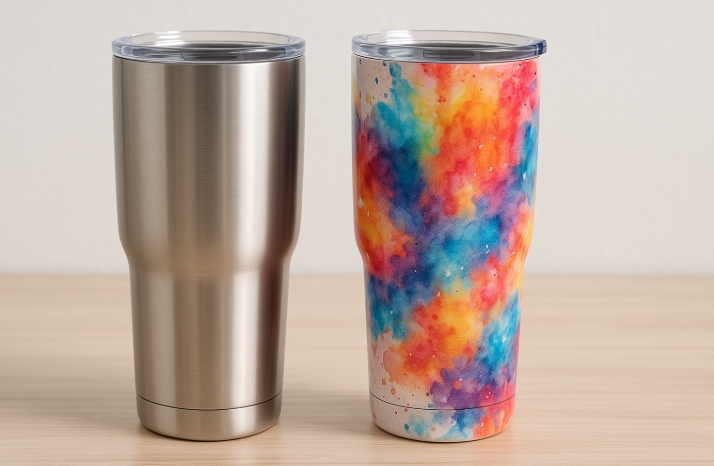
The best way to put a name on a water bottle is through sublimation. By integrating the name into your design and sublimating it, the name becomes a permanent part of the bottle itself, ensuring it will never peel, fade, or wash away.
Dive Deeper: Design Techniques for Integrating Names
Simply slapping a name on a product is easy. But making it look like a deliberate, integrated part of a beautiful design is an art. That's where a skilled designer like Emma can truly elevate a personalized product from "custom" to "couture." When I work on personalized orders, I always consider the name as a key design element, not just a label.
Here are a few techniques I use to make names look amazing on water bottles:
-
The "Window" Technique:
- This is a very popular and elegant method. You create a beautiful, full-wrap background pattern (like floral, geometric, or abstract watercolor). Then, in your design software, you "cut out" a shape—like a simple rectangle, a circle, or a more decorative frame—from the pattern, revealing the bottle's base white color underneath. You then place the name inside this clean "window." This makes the name incredibly easy to read and looks incredibly professional.
-
The "Integrated" Technique:
- This method weaves the name directly into the design itself. For example, if you have a design with flowing lines or vines, you can have the name written in a script font that follows one of those lines. You can match the color of the name to a secondary color in the design. The goal is to make the name feel like it was always meant to be part of the artwork.
-
The "Bold Statement" Technique:
- This is for designs that are more minimalist. You use a very bold, stylish font and make the name the absolute hero of the design. You can turn it vertically up the side of the bottle or use a large initial behind the full name. This is a confident, modern approach that turns the name itself into the main design feature.
Conclusion
Creating professional, personalized water bottles is simple with sublimation. It empowers you to turn your best designs into durable, cherished gifts that will never fade, peel, or be forgotten.

Hi there! I'm Lucy, the guardian angel of two good children. During the day, I am a professional in the heat transfer printing industry, from factory workshops to running my own business. Here I share what I have learned - let's grow together!