How to turn a normal printer into sublimation?
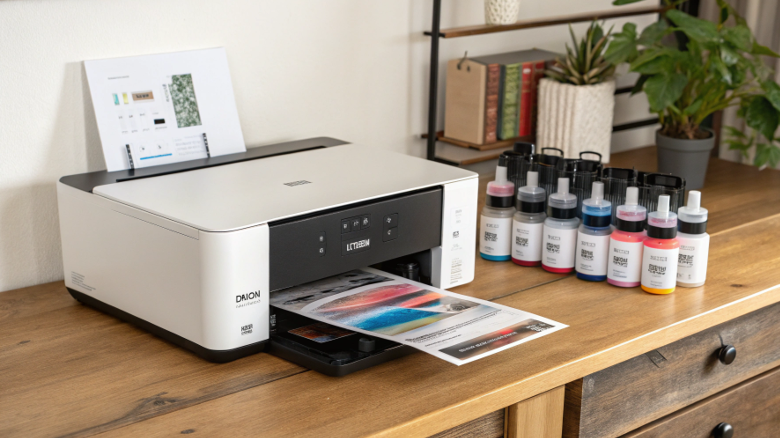
You want to start sublimation, but the high cost of a dedicated "sublimation printer" is holding you back. This frustration is a major barrier, stopping you from turning your creative ideas into profitable products. Let me show you a more affordable way in.
Yes, you can turn a specific type of normal inkjet printer into a sublimation printer. The key is to choose a brand-new, unused Epson EcoTank printer and fill it exclusively with sublimation ink instead of the standard ink it comes with. This is a permanent conversion.
When I first expanded my business from just factory work to having my own design studio, every dollar counted. Buying a brand-name Sawgrass sublimation printer felt like a huge leap. So, like many others, I explored converting an Epson printer. It was a game-changer for me, allowing me to start small and scale up. However, this path is full of pitfalls. You can't just pick any printer off the shelf. Doing it wrong will result in a completely wasted machine and a lot of frustration. Let's walk through the exact process and the critical rules you must follow to do this successfully.
Can I convert my printer to sublimation?
You have an old inkjet printer collecting dust and you're wondering if it can be your ticket into sublimation. Using it seems like a great way to save money, but you're afraid it might not work and will just create a huge mess.
Yes, you can convert certain inkjet printers. The printer must have a piezoelectric printhead, like those in Epson EcoTank models. It also must be brand new and never filled with any other ink. Printers with thermal printheads, like HP or Canon, cannot be converted.
Dive Deeper: The Two Golden Rules of Conversion
This is the most important concept to understand before you spend a single dollar. The success or failure of your conversion hinges on two non-negotiable rules based on the printer's core technology and its condition. I've seen many people try to break these rules to save a few bucks, and every single one of them ended up with a useless printer.
Rule #1: It MUST Be a Piezo Printer.
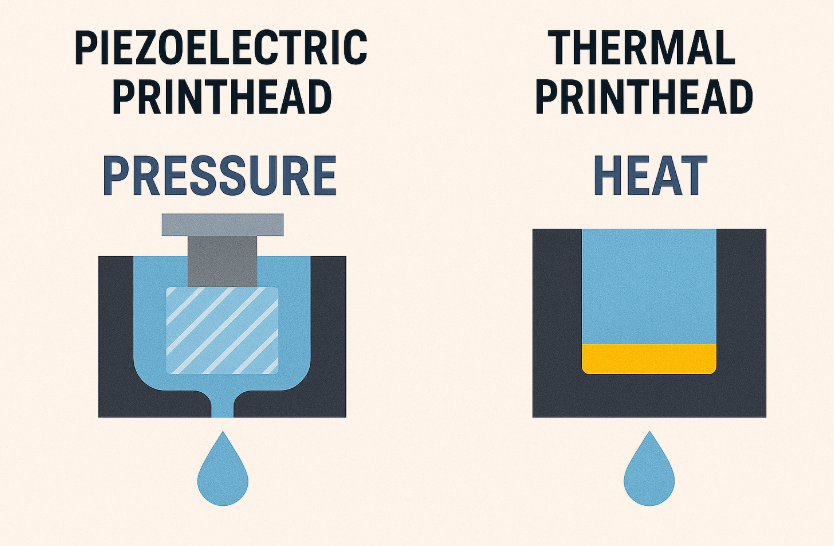
A printer's printhead is the part that shoots ink onto the paper. There are two main types of technology.
| Printhead Type | How It Works | Why It Matters for Sublimation | Common Brands |
|---|---|---|---|
| Piezoelectric | Uses tiny vibrations (pressure) from an electric charge to push droplets of ink out. It does not use heat. | This is what you need. Since there's no heat, the sublimation ink passes through the printhead safely, ready to be activated later by your heat press. | Epson, Sawgrass, Brother |
| Thermal (Bubble Jet) | Heats the ink to a boil, creating an expanding gas bubble that forces a droplet of ink out of the nozzle. | This will NOT work. The heat from the printhead would activate the sublimation dye while it's still inside the printer, turning it to gas and causing catastrophic clogs. | HP, Canon |
Rule #2: It MUST Be Brand New.
You cannot use an old office printer that has had regular ink in it, even once. The moment regular ink enters the system, it coats the inside of the tanks, tubes, and the microscopic channels of the printhead. It is impossible to clean this out 100%. If you add sublimation ink later, it will mix with the old ink residue, causing immediate color contamination, streaks, and eventually, clogs that will permanently destroy the printer. You must start with a virgin machine.
Can I use a normal printer for sublimation?
You see "sublimation printers" for sale, but they look just like the "normal printers" at the office supply store. This is confusing and makes you wonder if you really need a special machine, or if you're just paying for a label.
No, you cannot use a normal printer with its standard ink for sublimation. You must use a specific type of normal printer (an Epson EcoTank) that you have dedicated to sublimation by filling it only with sublimation ink from the very beginning. The ink is the magic ingredient.
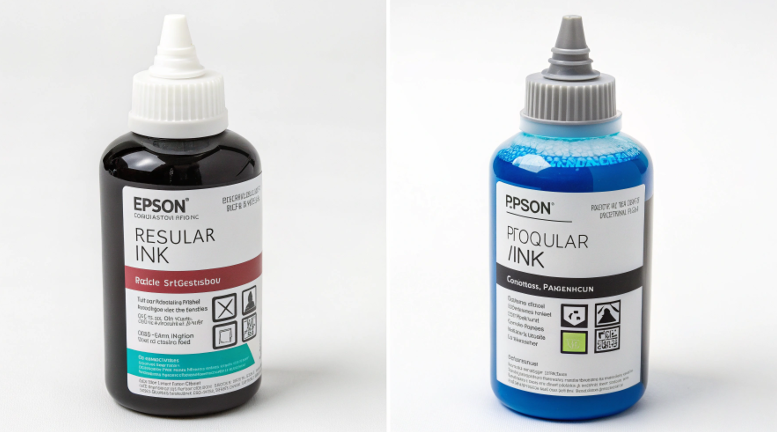
Dive Deeper: The Printer is the Car, The Ink is the Fuel
Let's clear up the confusion. The terms "normal printer" and "sublimation printer" can be misleading. It's better to think of sublimation as a complete system with three essential parts:
- The Printer: The machine's only job is to accurately place ink droplets on paper. An Epson EcoTank printer is a great machine for this. A Sawgrass printer is also a great machine for this. They are just the vehicle.
- The Ink: This is the most important part of the system. Sublimation ink isn't just colored liquid; it's a carrier fluid holding microscopic particles of solid dye. When heated, this dye turns into a gas. Regular ink is just a liquid dye and does not have this property.
- The Paper: Sublimation paper is engineered with a special coating that holds the ink droplets on its surface and then releases the dye as a gas when heated. Regular copy paper absorbs the ink, trapping it in the fibers, and will not work.
So, when you "convert" a normal Epson EcoTank, you are not changing the printer itself. You are simply choosing to put a special kind of "fuel" (sublimation ink) into that vehicle from the very start. The printer doesn't know the difference; it just puts the liquid you give it onto the paper you feed it. The actual sublimation magic happens later, in your heat press.
What can I use if I don't have a sublimation printer?
You have a great design ready to go, but you don't have a sublimation printer yet. You're feeling stuck, wanting to test a product or make a single gift, but you can't print the transfer yourself. Don't let this stop you.
If you don't have a sublimation printer, you can buy pre-printed sublimation transfers from sellers on sites like Etsy or from dedicated print-on-demand suppliers. You can also use infusible ink sheets, which are pre-printed, solid-color sheets of sublimation ink that you can cut with a Cricut or similar machine.

Dive Deeper: Start Creating Without the Investment
Not owning a printer should never be the reason you can't get started. In fact, for many people, I recommend not buying a printer at first. Outsourcing your printing is a fantastic, low-risk way to learn the heat press side of the process and test your market. It's how I help many of my clients, including designers like Emma, get their feet wet. She can focus on creating amazing designs and let someone else handle the printing and shipping of the transfers.
Here are your main options, broken down:
-
Buying Custom Sublimation Transfers:
- What it is: You send your finished design file to a seller (many on Etsy, or larger companies). They print it on their professional-grade sublimation equipment and mail the paper transfer to you. All you have to do is press it.
- Pros: Zero printer investment, no maintenance, access to large-format prints you couldn't do at home. Perfect for testing new designs.
- Cons: Higher cost per print, you have to wait for shipping.
-
Using Infusible Ink Sheets:
- What it is: These are solid-color or patterned sheets of sublimation paper, famously made by Cricut but also available from other brands. You use a vinyl cutting machine (like a Cricut or Silhouette) to cut out your design, weed away the excess, and then press it like a normal sublimation transfer.
- Pros: Great for creating designs with bold, solid-color shapes without needing a printer. Widely available in craft stores.
- Cons: Limited to the colors and patterns available, not suitable for photographic or multi-color gradient images.
Can you do sublimation printing with any printer?
You're seeing conflicting information online. Some people say only certain printers work, while others make it seem like any printer will do. This confusion is risky and could lead you to waste money on the wrong machine, killing your sublimation dreams before they start.
No, you absolutely cannot do sublimation with any printer. You must use a printer with a piezoelectric printhead that does not use heat to jet the ink. This is why Epson and Sawgrass printers are the standard for sublimation, while thermal printers like HP and Canon are incompatible.
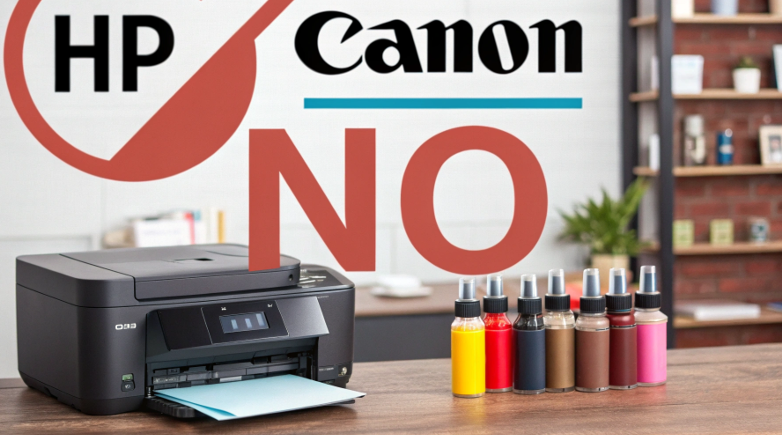
Dive Deeper: It’s All About the Printhead Technology
Let’s end this with the most important takeaway, the one piece of information I drill into every person I mentor. If you remember nothing else, remember this: sublimation ink is activated by heat.
A thermal printhead, used by brands like HP and Canon, works by heating the ink to create a bubble that pushes a droplet out. If you put sublimation ink in a thermal printer, you are activating the dye inside the machine. This will, without question, cause the ink to turn to a gas in the microscopic channels of the printhead, creating solid particles that lead to a permanent, irreversible clog. You will destroy the printer.
A piezoelectric printhead, used by brands like Epson, works like a tiny speaker. It uses vibration and pressure to squeeze a droplet of ink out. It does not use heat. This process is gentle and purely mechanical, allowing the sublimation ink to pass through the printhead in its inert, liquid state, completely unharmed. The ink is then ready and waiting on the paper for you to apply high heat with your press.
This is not a matter of opinion or brand preference; it is a fundamental difference in engineering. Choosing the right type of printer technology is the first and most critical step on your journey to success with sublimation.
Conclusion
You can affordably start sublimation by converting a new Epson EcoTank printer with sublimation ink. Outsource printing with transfers or infusible ink to begin without any printer at all. Just remember, only piezo printers like Epson work; never use HP or Canon.

Hi there! I'm Lucy, the guardian angel of two good children. During the day, I am a professional in the heat transfer printing industry, from factory workshops to running my own business. Here I share what I have learned - let's grow together!