What Are the Most Common Sublimation Mistakes Beginners Make?

You just bought your first sublimation setup, full of excitement and creative ideas. But your first prints are a disaster. The colors are faded, the images are blurry, and you've already ruined several expensive blanks.
This constant failure is incredibly discouraging. It feels like you're just throwing time and money down the drain, and the dream of running your own customization business seems to be slipping away.
The most common sublimation mistakes beginners make are using the wrong materials (like cotton fabric), getting the time, temperature, or pressure wrong, and allowing the paper to shift, which causes ghosting. Mastering these three areas will solve most beginner printing issues.
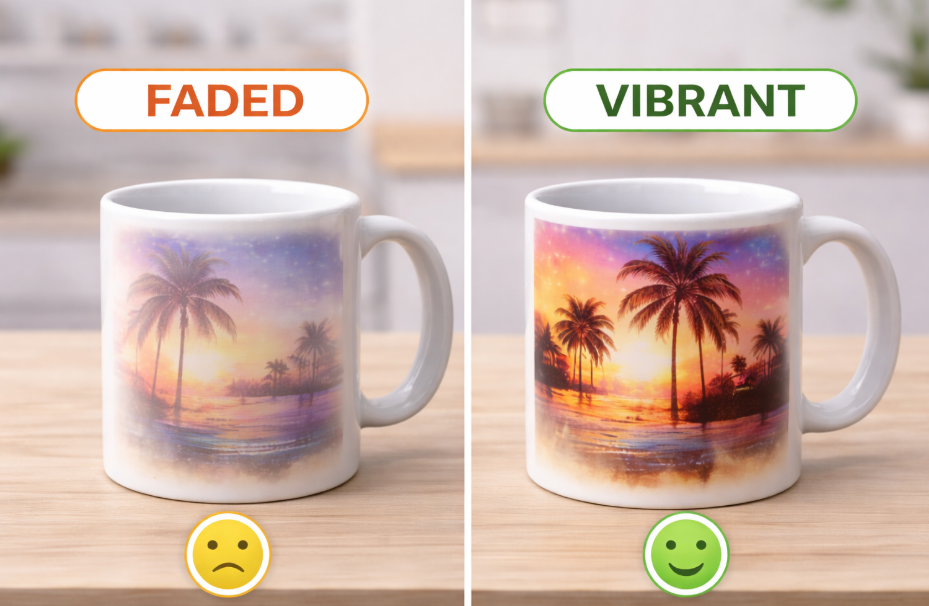
I remember my first week with a heat press. I was so sure it would be easy, but everything I made looked terrible. I created a pile of blurry coasters and faded mugs that I was too embarrassed to even show my family. I almost gave up. But I realized that sublimation is a science, and every mistake is just a clue. By learning what not to do, I figured out how to get professional results every single time. Let's go over those early lessons so you can skip the frustration and start creating products you're proud of.
What are the most common sublimation mistakes I should avoid?
You follow a YouTube tutorial step-by-step, but your project still comes out looking wrong. You don’t know which part of the process failed, making it impossible to fix.
This inconsistency is maddening. You can't confidently take on a customer's order because you can't guarantee a perfect product, and that uncertainty is stressful and unprofitable.
The three most common mistakes are choosing the wrong blank material, using incorrect heat press settings, and forgetting to use protective blowout paper. Sublimation requires a 100% polyester or poly-coated surface, a precise "recipe" of time, temp, and pressure, and a clean workspace.
Dive Deeper: The Beginner's Big Three Errors
When I train new people, I tell them to focus on these three things before they even turn on their printer. Getting these right will prevent 90% of all printing errors. It's the foundation of everything we do. For a designer like Emma, who needs reliability, this foundation is a must.
1. The Material Mistake
Sublimation is a specific chemical process. The ink only bonds with polyester polymers.
- Why it Fails: Printing on 100% cotton is the most common beginner error. The ink has nothing to bond to, so it just sits on the surface and washes right off. Blended fabrics (like 50/50 poly/cotton) will only give you a faded, "vintage" look because the ink only dyes the polyester threads.
- The Rule: For vibrant, permanent colors, your item must be 100% polyester or have a special polymer coating designed for sublimation (like on mugs, tumblers, and metal).
2. The Recipe Mistake
Your heat press settings are like a baking recipe. If one ingredient is off, the cake is ruined.
- Time: Too little time and the ink won't fully transfer, leaving the print looking faded.
- Temperature: Too low and the ink won't turn into a gas. Too high and the ink can burn, making colors look brown or blurry.
- Pressure: This is the most underrated setting. You need firm, even pressure to ensure perfect contact between the paper and the item. Too little pressure causes blotchy, uneven results.
3. The Protection Mistake
During sublimation, some ink gas will escape from the edges of your paper. If you don't protect your press, this "blowout" will stain your heat platen. Then, on your next press, that old ink will transfer onto your new item, ruining it.
- The Fix: Always use a sheet of plain butcher paper or "blowout paper" on top of and underneath your project. This cheap paper absorbs all the stray ink. Always use a fresh sheet for every press.
What are the easiest high-selling items for a beginner to make?
You want to start selling your creations, but you're afraid to invest in a big case of blanks. You don't want to get stuck with inventory that's too difficult to print or that no one wants to buy.
This fear of making a bad investment can stop you from ever starting. You end up not buying anything and your new business never gets off the ground.
The best-selling and easiest items for beginners are hard, flat products like ceramic coasters and hardboard keychains, along with classic 11oz white ceramic mugs. These items have very standard, reliable settings and are consistently popular with customers for personalized gifts.

Dive Deeper: Start Smart, Not Big
My journey to financial independence started small. I didn't try to print complex all-over t-shirts on day one. I started with mugs because I knew I could master the process and they were always in demand. The best advice I can give any beginner is to build your skill and confidence on forgiving products before moving on to more challenging ones.
Focus on items that are easy to handle and have a high chance of success.
- Hard Flat Goods: These are a beginner's best friend. Coasters, photo panels, bag tags, and keychains sit perfectly flat in your press. This makes it very easy to get the firm, even pressure you need for a great transfer. They are small, so if you do make a mistake, the cost is low.
- The Classic 11oz Mug: A standard mug press is a wonderful tool because it's built for one purpose. The wrap provides even heat and pressure around the entire mug. Mugs are a timeless gift, so you know there will always be a market for them, from corporate logos to family photos.
Here's a quick guide to help you choose:
| Product Type | Why It's Good for Beginners | What to Avoid Initially |
|---|---|---|
| Flat, Hard Items | Easy to achieve even pressure. Low cost per blank. | Items with uneven surfaces or raised edges. |
| 11oz Mugs | Mug presses make the process very simple and repeatable. | Tapered tumblers or full-wrap drinkware. |
| Small Fabric Items | Mousepads or can coolers are flat and manageable. | Large t-shirts or blankets with wrinkle risk. |
Start with these, perfect your process, and you'll build the confidence and cash flow to tackle more advanced products later.
Can I sublimate on soft minky fabric successfully?
You see those incredibly soft, personalized minky blankets and want to add them to your product line. But you're worried the plush, fluffy texture will make the print blurry and that the heat will ruin the fabric.
Minky blankets are expensive blanks. The thought of pressing one incorrectly and permanently crushing the fibers or getting a fuzzy image is a major risk that might stop you from trying.
Yes, you can sublimate on 100% polyester minky fabric, and the results are stunning. The secret is to use very light pressure to avoid crushing the fibers, lint-roll thoroughly, and pre-press the fabric for a few seconds to flatten the pile just before transfer.
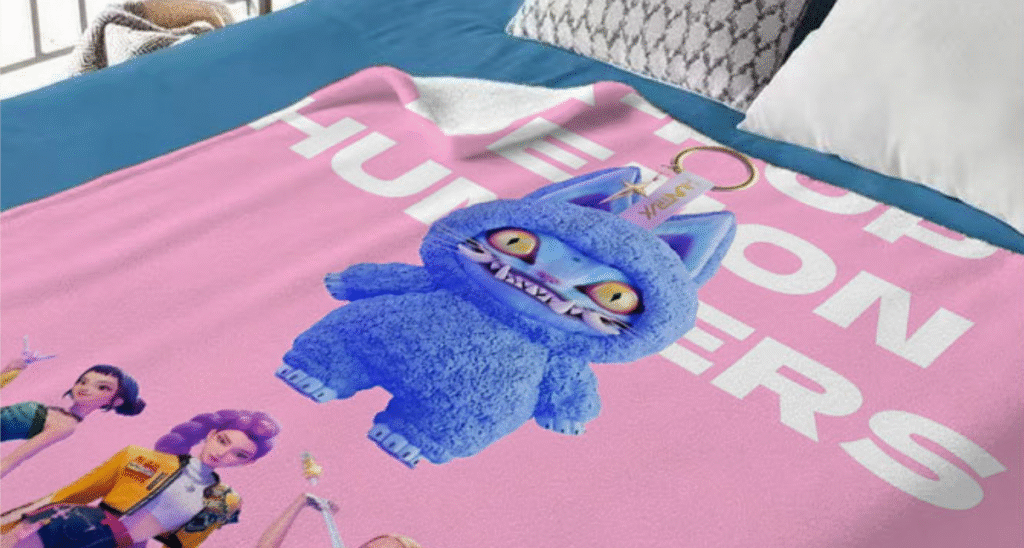
Dive Deeper: Taming the Fluff
Adding minky blankets to my product line was a game-changer. They have a high perceived value, and people love them for baby gifts and cozy home decor. But the technique is different from pressing a hard coaster. It's all about being gentle.
A designer like Emma could create some truly amazing, premium products once she masters this fabric. Here is the exact process:
- Step 1: Check the Tag. This is non-negotiable. The minky MUST be 100% polyester. No exceptions.
- Step 2: Lint Roll Like Crazy. Minky fabric sheds invisible little fibers. Go over the entire surface with a lint roller several times. Any tiny fiber left behind will sublimate into a little blue or dark speck on your final print.
- Step 3: The Pre-Press. Place the minky in your press with blowout paper on top. Press for just 5-10 seconds with very light pressure. The goal is not to flatten it permanently, but just to temporarily tame the pile so your transfer paper has a smoother surface to contact.
- Step 4: The Transfer. Place your design and press with light pressure. You want the heat platen to just rest on the surface, not clamp down hard. Heavy pressure will melt and crush the fibers, leaving an ugly, permanent rectangle on your beautiful blanket. It's better to add a little more time with light pressure than to use heavy pressure.
What is this "ghosting" that keeps ruining my prints?
You excitedly peel the paper from your new project, only to find a distracting faint shadow or double image next to your design. Your crisp lines are gone, replaced by a blurry mess.
This "ghosting" makes your products look cheap and defective. Every ghosted item is a complete loss, and it's a frustrating problem that can seem to happen randomly.
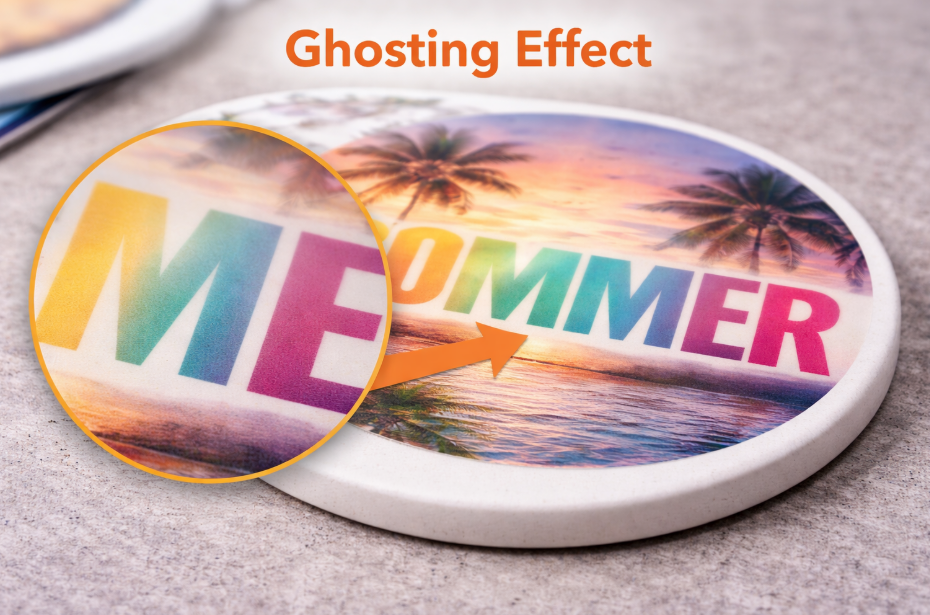
Ghosting is a shadow image caused by your sublimation paper moving even slightly while the item is still hot and the ink is in a gaseous state. It is prevented by taping the paper down securely with heat-resistant tape so it is completely immobile during and after pressing.
Dive Deeper: The Mistake of a Shifty Print
Ghosting was one of my biggest enemies when I started. I must have thrown out a dozen coasters before I finally realized my paper was sliding by just a millimeter when I opened my press. That tiny shift is all it takes to ruin a print. Using a few extra cents worth of heat tape is the cheapest insurance you can buy for your sublimation business.
This is a physical problem, not a chemical one. The ink is doing its job, but the paper isn't staying put.
- The Cause: The movement often happens in the split second you open your press. A clamshell press can create a small vacuum or puff of air that lifts and shifts the paper. Even just carelessly lifting the paper off can cause it to slide across the hot surface and create a smear.
- The Solution is Anchoring: You must lock your transfer paper in place.
- For Flat Items: Don't just tape the item to the paper. Place your item on the paper, and then tape the edges of the paper itself down to the protective blowout paper underneath. This creates a secure "package" that can't move.
- For Mugs & Tumblers: Pull the paper tight around the mug. Tape the seam securely. Then, add small pieces of tape around the top and bottom edge of the paper to anchor it to the mug itself. This stops it from twisting or sliding up and down.
Conclusion
Avoiding common beginner mistakes is the first step to sublimation mastery. Focus on using the right materials, locking in your settings, and keeping your process clean and secure. These fundamentals will build your confidence.

Hi there! I'm Lucy, the guardian angel of two good children. During the day, I am a professional in the heat transfer printing industry, from factory workshops to running my own business. Here I share what I have learned - let's grow together!