Why Are Your Sublimation Prints Turning Brown?
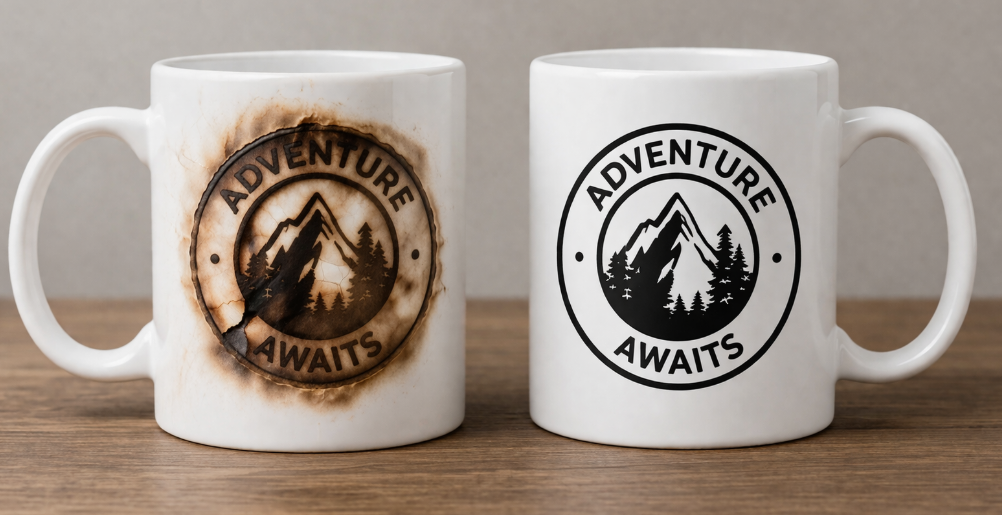
Your sublimation prints should be bright and crisp, but instead, they're coming out with an ugly brown tint. You're wasting expensive materials and your final products look unprofessional.
Your sublimation prints are turning brown because of too much heat or excessive pressing time. This overheating “burns” the ink and the polymer coating on your blank, causing colors, especially black, to scorch and shift to a muddy brown color.
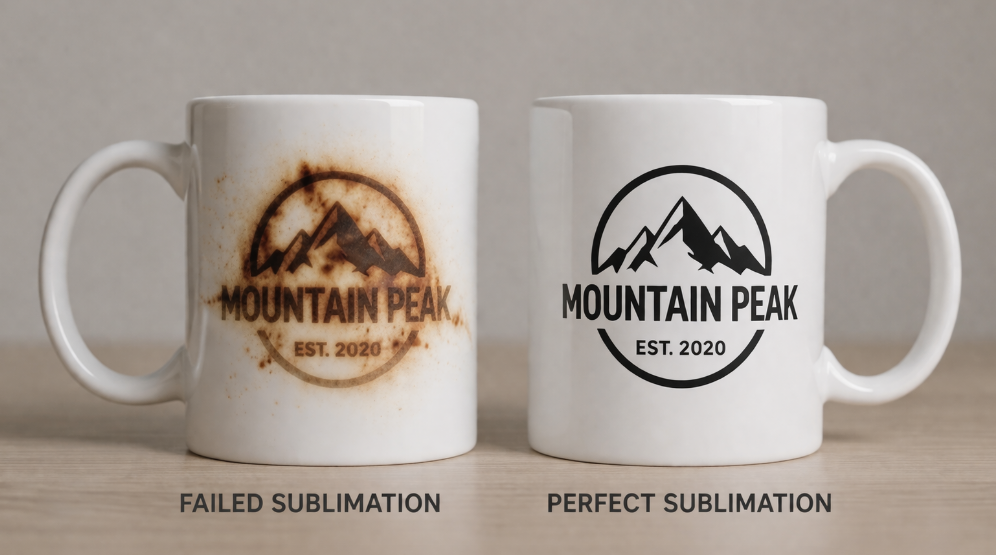
I'll never forget the panic of pulling the first mug out of a big corporate order and seeing the sharp black logo I designed had turned into a muddy, reddish-brown mess. I thought my ink was bad or the mugs were defective. This is a problem every product designer, like Emma, runs into eventually. It's not a sign of bad supplies; it's a sign that your settings are just a little bit off. Getting this right is crucial for professional results. Let's fix it.
Why is Your Black Sublimation Turning Brown?
You printed a design with a perfect, deep black, but on your final product, it looks like a faded, ugly brown mess. You're frustrated and can't figure out why only the black is failing.
Black sublimation ink is very dense and sensitive to heat. It turns brown because it is overheating and scorching faster than other colors during the pressing process. You need to reduce your heat or time.
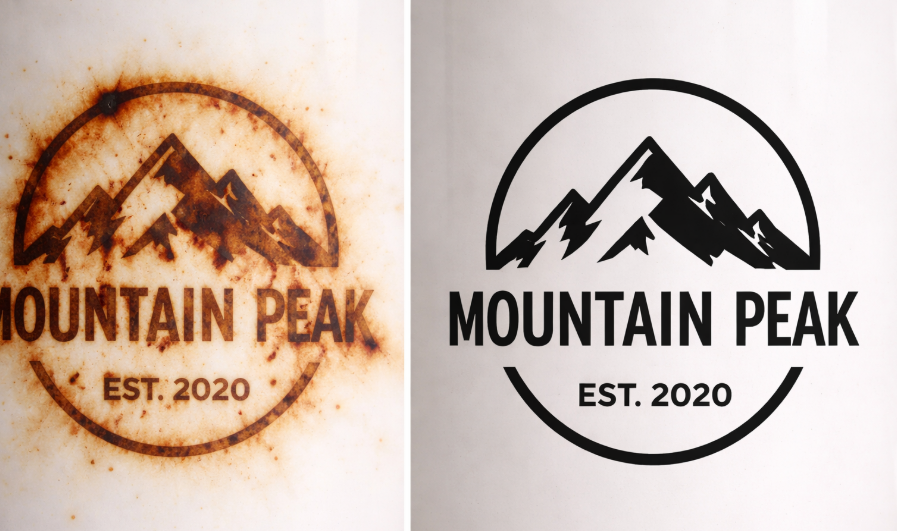
Black ink is actually made from a heavy concentration of various color pigments. When you apply too much heat energy, you literally burn it. The chemical composition of the ink breaks down, and it loses its ability to reflect a true black. Think of it like toasting bread: a little heat gives you a golden brown, but a little too much gives you a burnt, black crisp. With sublimation ink, the process is reversed. A little too much heat turns your crisp black into a burnt brown. This is the most common color to have this problem because the pigment is so dense. The solution is almost always to pull back on your settings. Try reducing your temperature by 5-10 degrees or shaving 15 seconds off your time. It’s a delicate balance, but once you find that sweet spot, you will get perfect blacks every time.
| Problem | Cause | Quick Solution |
|---|---|---|
| Black ink looks brown | Too much heat/time | Reduce temperature by 5-10°F |
| Black ink looks reddish | Too much time | Reduce press time by 15-20 seconds |
| All colors look dark/burnt | Temp and time both too high | Reduce both temperature and time |
Why is Your Sublimation Not Coming Out Vibrant?
Your prints look dull and lifeless right off the press. The colors lack the "pop" you see on your screen, and your products feel flat and unprofessional as a result.
Your sublimation prints are not vibrant because they are not getting enough heat, time, or pressure. This prevents the ink from fully converting to a gas and bonding with the polymer surface, leading to a weak transfer.
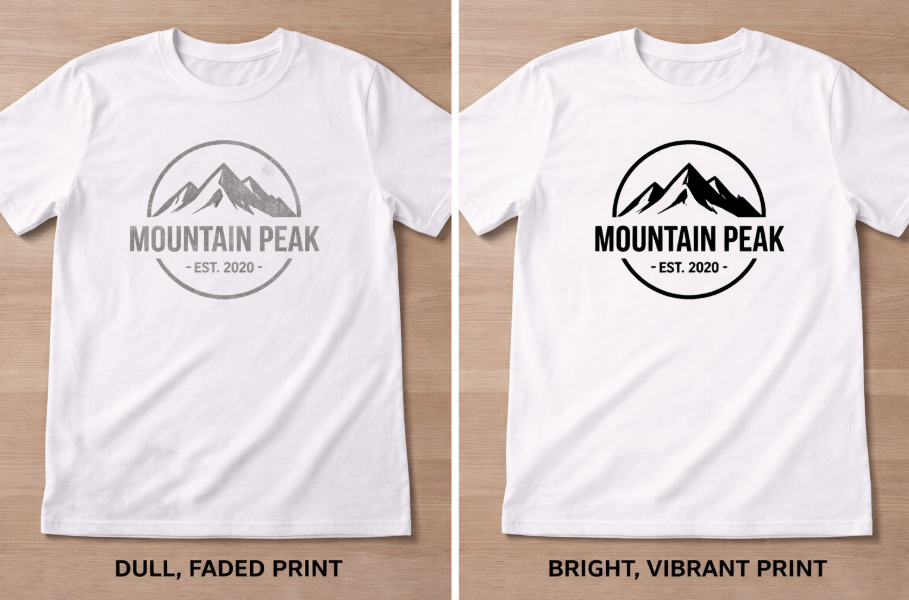
This problem is the exact opposite of your prints turning brown. While browning is caused by too much heat, a lack of vibrancy is caused by too little energy in the process. I call this the "Sublimation Trinity": Time, Temperature, and Pressure. All three must be correct to get a bright, beautiful result. If your temperature is too low, the ink will not turn into a gas effectively. If your time is too short, the ink won't have a chance to fully move from the paper to the blank. And if your pressure is too light, there won't be firm contact between the paper and the surface, leaving gaps where the ink cannot transfer. Another huge factor is your material. If you are printing on a 50/50 poly-cotton blend shirt, your print will never be as vibrant as on a 100% polyester shirt, because the ink can only bond to the polyester fibers.
What Happens if You Overheat Sublimation?
You follow the logic that "more heat is better" to make sure your print transfers. But now your whites are yellowing, and your designs are blurry and burnt.
Overheating sublimation scorches the ink and the blank. This causes colors to shift to brown, white areas to turn yellow, and the entire design to blur as the ink spreads uncontrollably from the excessive heat.
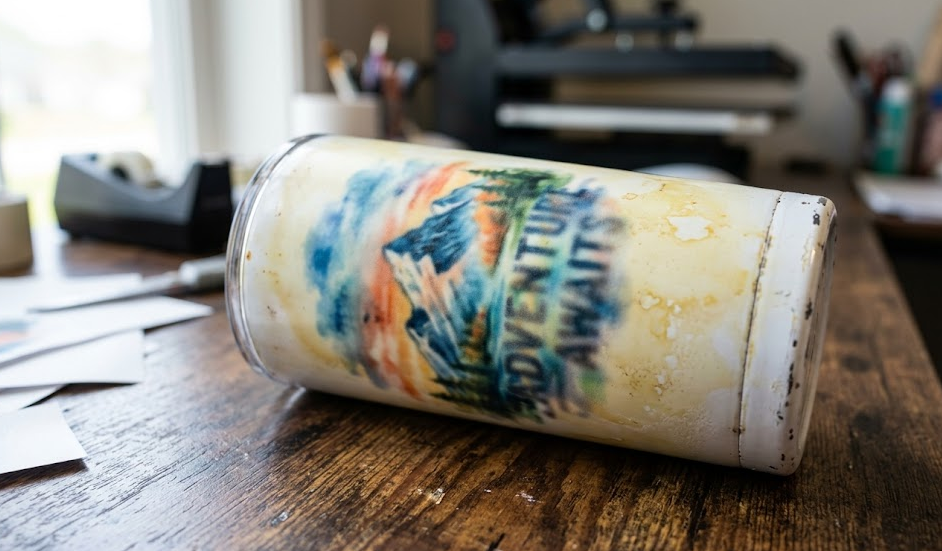
Pushing your heat settings too high is one of the most destructive things you can do in the sublimation process. It doesn't just affect the color; it can permanently damage the product itself. The first thing you'll notice is color shifting, with blacks turning brown being the most obvious sign. But if you keep going, you will see the white polymer coating on your mug or the white polyester fabric of your shirt start to turn yellow. This is irreversible scorching damage. You can also experience "ink blowout," where the extreme heat forces the ink to spread outside its intended lines, creating a blurry, fuzzy mess around your design. This is different from ghosting. It's a sign that the ink was vaporized too aggressively. Always start with the manufacturer's recommended settings for your specific blank and make small, controlled adjustments from there. More is definitely not better.
What Are Common Sublimation Mistakes?
You feel like you're following all the rules, but your results are still inconsistent. You're dealing with flipped text, weird spots, and blurry images, and it's costing you time and money.
The most common sublimation mistakes are simple process errors: using the wrong heat settings, forgetting to mirror your image, moisture causing spots, paper shifting creating ghosting, and using non-sublimation coated blanks.
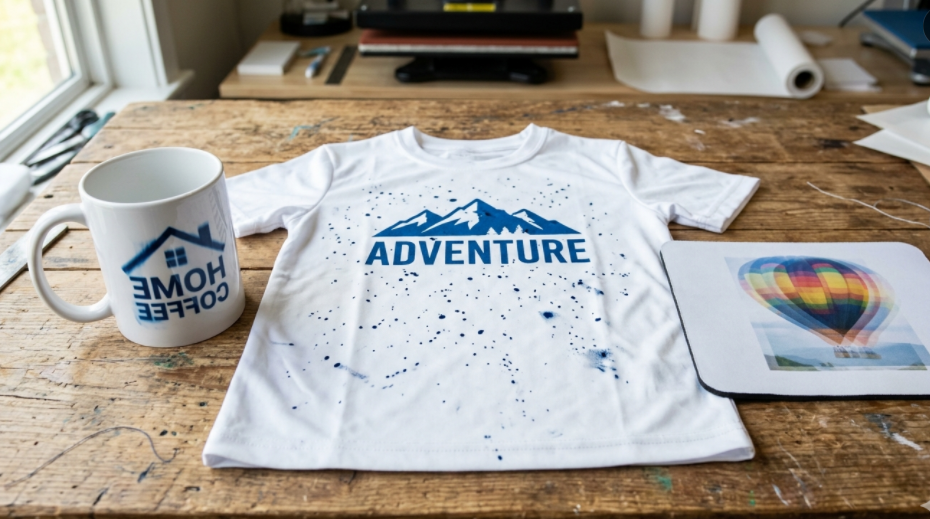
After years in this business, I can tell you that 99% of failures come from a small handful of repeatable errors. The "browning" we've discussed is a classic example of using the wrong heat settings. But there are others I see all the time. Forgetting to check the "mirror image" box before printing is a painful rite of passage for every beginner. Another one is moisture. If there's any humidity in your paper or blank, it will turn to steam and create blue speckles or splotches in your print. Always pre-press your item for 5-10 seconds to dry it out. Then there's ghosting, which happens when your paper slides as you open the press. A simple piece of heat-resistant tape solves this completely. Finally, and most fundamentally, you must use a blank with a sublimation-ready polymer coating. Trying to sublimate on a regular mug from a dollar store will always result in a failed print that just wipes right off.
Conclusion
Sublimation prints turn brown from too much heat or time. Master your process by controlling your settings, using quality materials, and avoiding common mistakes to achieve perfect, vibrant results every time.
To protect your business margins, read our ultimate guide on choosing high-quality [wholesale sublimation blanks] to boost your long-term ROI.

Hi there! I'm Lucy, the guardian angel of two good children. During the day, I am a professional in the heat transfer printing industry, from factory workshops to running my own business. Here I share what I have learned - let's grow together!