Common Sublimation Problems on Cups and How to Avoid Them?
You press a new batch of cups, full of hope, only to find faded colors, blurry images, and weird yellow stains. Your beautiful design is ruined, and another blank is in the trash.
This waste of time and expensive supplies is incredibly frustrating. It eats into your profits and makes you doubt your abilities, leaving you wondering if you'll ever get that perfect press.
This guide will walk you through the most common sublimation problems. I'll give you simple, clear steps to fix them so you can achieve professional, consistent results on every single cup.
Common sublimation cup problems include ghosting (blurry shadows), faded or uneven colors, yellowing or scorching, and marks from tape or the press. These issues are almost always caused by incorrect temperature, time, pressure settings, or using the wrong materials for the job.
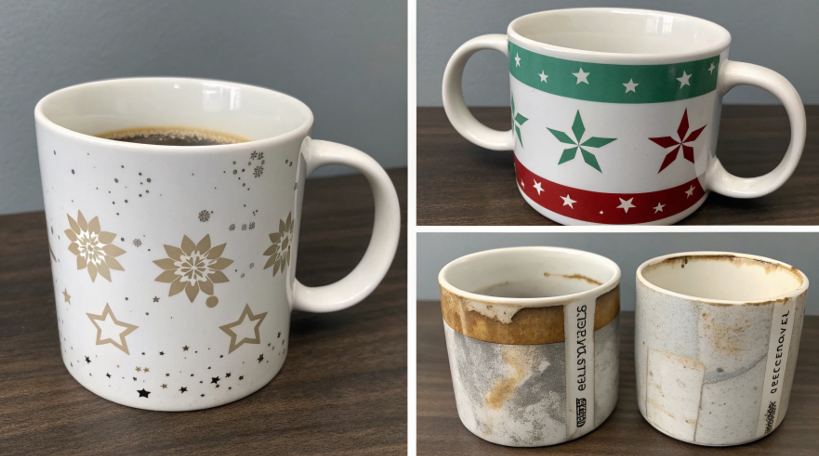
Believe me, I've made every mistake in the book. I still remember the sinking feeling of seeing a beautiful design turn into a blurry mess on a mug. But every single one of those failures taught me a valuable lesson. It’s how I learned to troubleshoot and why I can now produce thousands of flawless items.
Let's break down these problems one by one. I want to help you skip the frustration I went through and get straight to creating products you can be proud of. This is how you go from being a hobbyist to a pro.
What are the most common sublimation mistakes?
You follow the online tutorials step-by-step, but your cups still look amateur. It feels like you're making mistakes you don't even know exist.
This constant guessing game is exhausting and expensive. You start to think that sublimation is just too difficult, or maybe you're just not cut out for it.
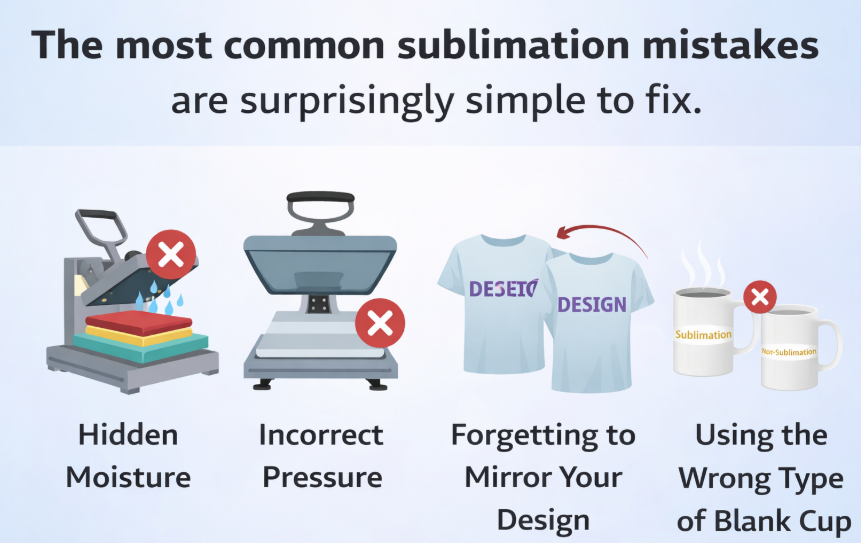
The most common sublimation mistakes are surprisingly simple to fix. They often involve hidden moisture, incorrect pressure, forgetting to mirror your design, or using the wrong type of blank cup.
Dive Deeper: The Simple Errors with Big Consequences
When I first started my business, I thought having the best equipment was enough. But I quickly learned that the process is just as important. For a designer like Emma, mastering the process is what ensures her creative vision comes to life perfectly. It’s the small details that make the biggest difference. Let's look at the most common culprits.
-
The Moisture Menace:
Moisture is the invisible enemy of sublimation. Even tiny amounts of humidity in the paper or on the cup’s coating can turn into steam during pressing. This steam interferes with the ink transfer, causing blueish blotches, hazy spots, or uneven colors. This is especially true in humid climates. The Fix: Always store your paper in a dry place. Before pressing, I often pre-press my blank for a few seconds or simply place my wrapped cup near the press to let it warm up and dry out. -
The Pressure Problem:
Pressure needs to be just right. Too much pressure can cause the ink to "blow out," creating blurry edges, and can even leave indentations from the press. Too little pressure results in faded, inconsistent, and patchy transfers because the paper isn't making full contact with the cup. The Fix: Find the "medium" pressure setting for your press. It should be snug enough that you need a little effort to close it, but not so tight that you have to force it shut. -
The Mirroring Mishap:
This is the classic rookie mistake. Sublimation works by printing your design onto paper and then pressing it face-down onto the cup. If you don't print a mirrored version of your image, everything—especially text—will be backward on the final product. I almost ruined a 100-mug order for a client once because I forgot to check that one simple box in the print settings. I caught it just in time, but I never forgot that lesson. The Fix: Always, always, always click the "Mirror Image" box in your printer's settings before you print.
How do you prevent that dreaded "ghosting" on your sublimation mugs?
You peel away the paper and your design looks crisp. But right next to it, there's a faint, blurry shadow of the image. This "ghosting" has ruined the whole mug.
This single, tiny flaw is infuriating. It forces you to throw away an otherwise perfect product, wasting your time, your ink, and another expensive blank.
Preventing ghosting is all about eliminating movement. You must tape your transfer paper down securely and then remove it in one clean motion immediately after pressing.
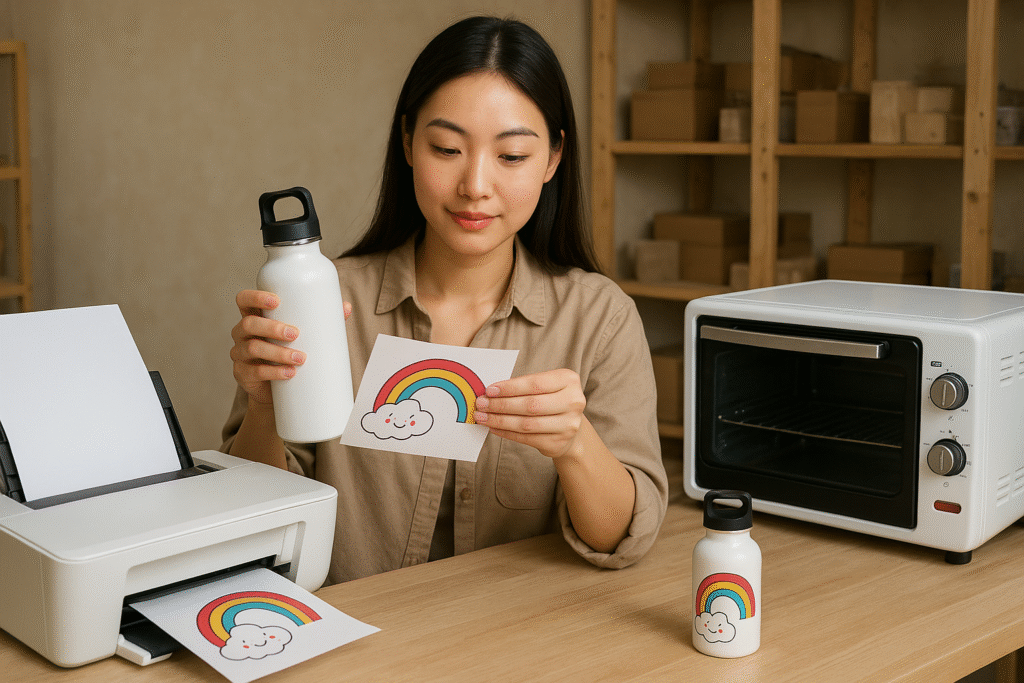
Dive Deeper: Chasing Away the Ghost in the Machine
Ghosting happens because the science of sublimation is still active for a few seconds after you open the press. The mug is incredibly hot, and the ink on the paper is still in a gaseous state. If the paper slides or shifts even a millimeter while it's in this state, it will transfer a faint second impression onto the surface. Preventing this comes down to two key moments: before the press and after the press.
-
The Secure Tape-Down Method:
Your paper must be wrapped tightly against the mug, with no air gaps or loose edges. I use at least three pieces of heat-resistant tape for every mug. I place one piece along the seam where the paper overlaps. Then I add one piece at the top and one at the bottom, pulling the paper taut as I tape it to the mug. This ensures it's locked in place and can't shift during pressing. Don't be shy with the tape—a ruined mug costs more than a few inches of tape. -
The Swift Removal Technique:
This is the most critical step. As soon as you open your press, the mug is a "live zone" for ghosting. You must remove the paper immediately while the mug is still extremely hot. Put on your heat-resistant gloves. Hold the mug firmly with one hand. With the other hand, grab a corner of the paper and peel it off in one quick, decisive motion. Don't let it hesitate, slide, or fall back onto the surface. A clean, fast peel ensures the gaseous ink has no extra time to transfer a second image.
Mastering these two techniques will eliminate ghosting from your workflow for good.
How to avoid tape marks on sublimation tumblers?
You’ve pressed a beautiful full-wrap tumbler. But when you peel the paper, you see faint yellow or faded lines exactly where your heat tape was.
These ugly lines can ruin the seamless, professional look you're trying to achieve. It's frustrating when the very tool you use to secure your design ends up damaging it.
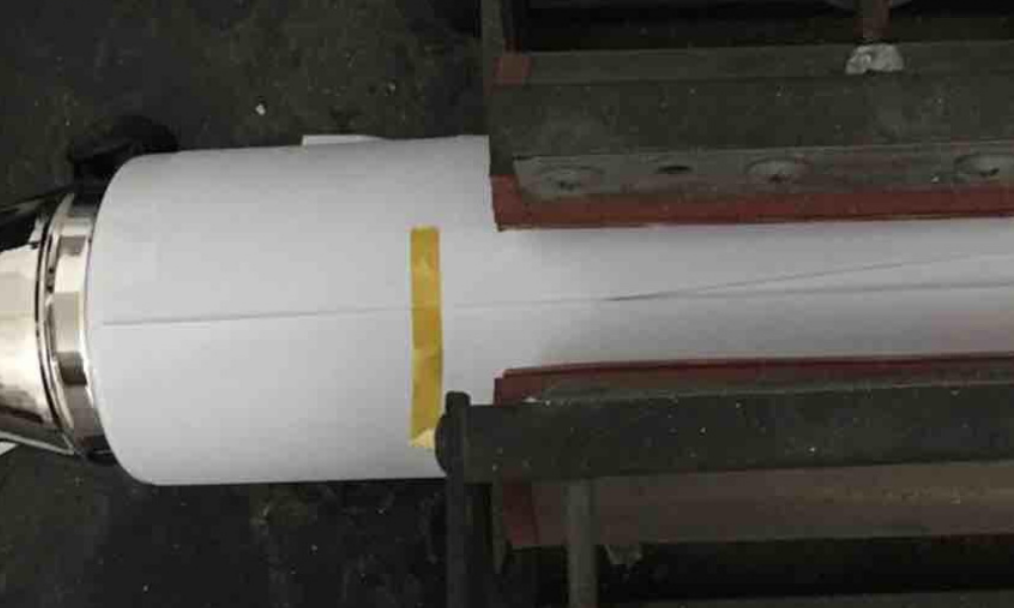
To avoid tape marks, use a high-quality, heat-resistant tape that leaves minimal residue. More importantly, place the tape on the sublimation paper itself, avoiding direct contact with the tumbler's surface whenever possible.
Dive Deeper: Taping Smarter, Not Harder
Tape marks are one of the most stubborn problems, especially on full-wrap designs. The marks are caused by the tape creating a pressure barrier. It blocks some of the ink gas from reaching the tumbler's coating, resulting in a faded line. It can also trap heat, causing a slight yellowing or scorching in that area. As someone who has produced thousands of tumblers, I've developed a taping strategy that minimizes these risks.
The goal is to secure the paper without interfering with the print area. Here's how:
-
Place Tape on Paper, Not the Tumbler:
When you wrap your design, make sure the paper overlaps itself to create a seam. Place your main line of tape directly on top of this paper seam. This way, the tape is holding paper-to-paper, not paper-to-tumbler. You still get a secure hold, but the tape isn't sitting on the part of the tumbler that is being sublimated. -
Use "Blowout" Paper as a Buffer:
For extra protection, I always use a layer of "blowout" paper. This is just a plain piece of copy paper or butcher paper that you wrap around your sublimated tumbler before pressing. If you must place tape near the top or bottom edges of the tumbler, this extra layer can help diffuse the pressure and heat from the tape, preventing it from leaving a harsh line on the final product. -
Invest in Quality Tape:
Not all heat tapes are created equal. Cheaper, off-brand tapes are more likely to leave a sticky residue or a yellow chemical stain after being heated. I always stick to reputable brands. It might cost a little more upfront, but it saves me from re-doing tumblers, which is far more expensive in the long run.
By changing your taping strategy, you can get that flawless, seamless wrap you're looking for.
Conclusion
Perfect sublimation is a science, not a guess. By understanding and avoiding common mistakes like moisture, ghosting, and improper taping, you can consistently produce beautiful, professional-quality cups every single time.

Hi there! I'm Lucy, the guardian angel of two good children. During the day, I am a professional in the heat transfer printing industry, from factory workshops to running my own business. Here I share what I have learned - let's grow together!